
Keep your workflow
Start and track inspections within existing business processes. A shared order reference makes it easier to connect activity across departments.
Connect Merlin to the platforms your business already runs on. API integration brings ordering, status, completion, reporting and invoicing into one continuous inspection workflow.
Discuss your integration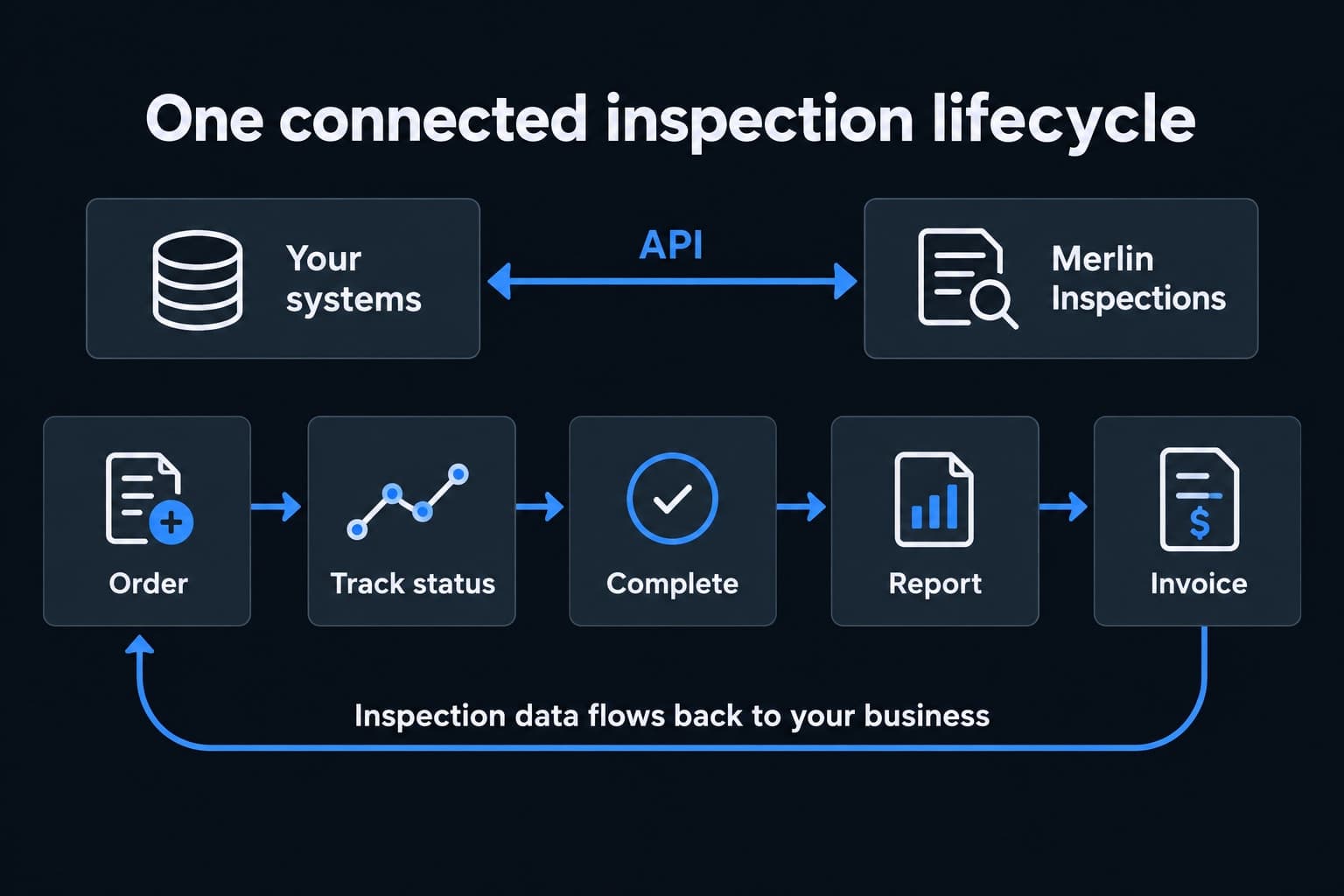
An application programming interface, or API, lets software systems exchange information directly. Instead of asking a person to copy an order into another portal and later re-enter the result, the connection carries that information between systems.
For inspections, that means your claims platform, servicing system, CRM or operations software can stay connected to the inspection lifecycle. Your customer portal remains available for review, while the integration brings the data into the tools your teams use every day.
Merlin works with your team to connect the complete inspection process, including the reports and financial records that follow fieldwork.
Start an inspection from the system your team already uses. Pass the property, inspection type, capture method, access instructions and your own reference number through the integration.
Less duplicate entry. Your inspection stays connected to the original claim, loan, policy or work order.
Bring inspection progress and exceptions into your operational workflow. Map the agreed milestones—such as received, scheduled, in progress, awaiting information and in review—to the statuses your team understands.
Less time chasing updates. Teams can see what is moving and what needs attention.
Use the completion record to move the order into your next review step. Keep a distinction between field capture being finished, quality review being complete and the final deliverable being available.
A clearer handoff. Your team acts on the right milestone with the required evidence.
Bring completed inspection reports, photo references and agreed structured fields back into your system. Match findings to the correct property and order so they can support case review, portfolio reporting and analytics.
Evidence where decisions happen. Use the same inspection data in your workflow and your reporting tools.
Link invoice records and agreed line-item details to inspection orders and your internal references. Route billing information into your finance workflow for matching, review and reconciliation.
Less manual matching. Finance can connect the charge, the completed inspection and the originating request.
Consistent references tie the order, inspection evidence and invoice together, reducing fragmented records and repeated data entry.
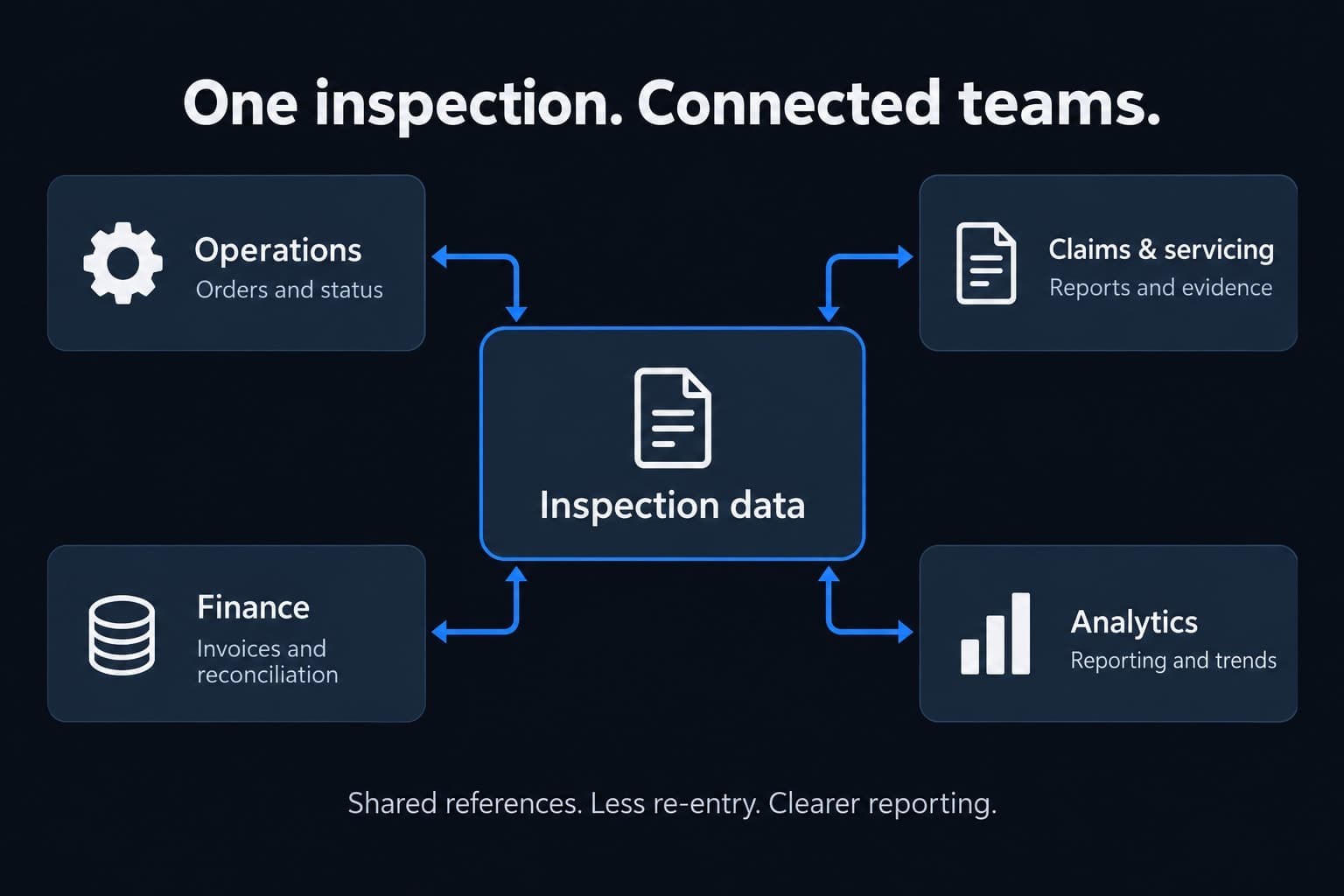
Start and track inspections within existing business processes. A shared order reference makes it easier to connect activity across departments.
Bring agreed inspection fields into your reporting tools to analyze volumes, turnaround, exceptions, property observations and inspection spend.
Apply the same ordering requirements and data mappings across locations and inspection types, with both self-service and nationwide field capture in the program.
Move information between systems without repeatedly copying it. Give staff more time for exceptions, customer communication and decisions.
A finished report is only one part of the deliverable. Your integration can connect the report and photo evidence with the structured information your business needs for dashboards, downstream review and analytics.
Define the fields and identifiers that matter to your team: order reference, property reference, inspection type, fulfillment method, milestone dates, observed conditions and billing references. Agree field definitions and data availability so reports compare like with like.
Inspection completion does not automatically approve a claim, certify a property or authorize payment. Your existing review and approval controls remain part of the workflow.
Work with Merlin to define the connection from the first order through reporting and reconciliation. Technical documentation, supported formats and implementation details are confirmed with your integration team.
Identify the source systems, inspection types, order fields, reference IDs, status mappings and invoice requirements.
Agree authentication and access, delivery mechanisms, update frequency, report and photo access, retention needs and error handling.
Test ordering, status changes, incomplete information, report delivery, duplicate handling and invoice matching against your acceptance criteria.
Align responsibilities, support contacts, exception handling and monitoring before expanding to the agreed production scope.
Bring your systems and reporting requirements. We’ll help map the integration.